Quick Answer
A PMP deal is set up by negotiating terms between a publisher and a buyer, generating a Deal ID on the publisher’s supply side platform or ad server, sharing that ID with the buyer, and activating it on the buyer’s demand side platform so bid requests and bid responses match on the same ID. Once both sides are correctly configured and the deal is activated, eligible bid requests can begin flowing through the Deal ID.
- Negotiate floor price, inventory, and buyer access with the publisher.
- Generate the Deal ID on the SSP or ad server and assign it to the agreed inventory or zones.
- Share the Deal ID with the buyer’s trading team.
- Enter the Deal ID into the buyer’s DSP along with matching price and targeting terms.
- Confirm bid requests and bid responses are matching on the Deal ID before scaling spend.
Introduction
Private marketplace deals let advertisers buy premium inventory without competing in a fully open auction. A publisher invites a select group of buyers and reserves specific inventory for them, keeping pricing more predictable and placements closer to content both sides have already agreed is safe and relevant. The Deal ID is what makes this work: it connects the negotiated private deal terms with eligible bid requests, so the SSP and DSP can identify inventory that belongs to that specific deal and apply the agreed price, targeting, and access rules automatically.
Setting this up correctly matters in 2026 as advertisers place greater emphasis on supply transparency, premium inventory, and brand suitability. Many are using private marketplaces to build closer publisher relationships and gain more control over where campaigns appear, while still keeping the efficiency of programmatic buying.
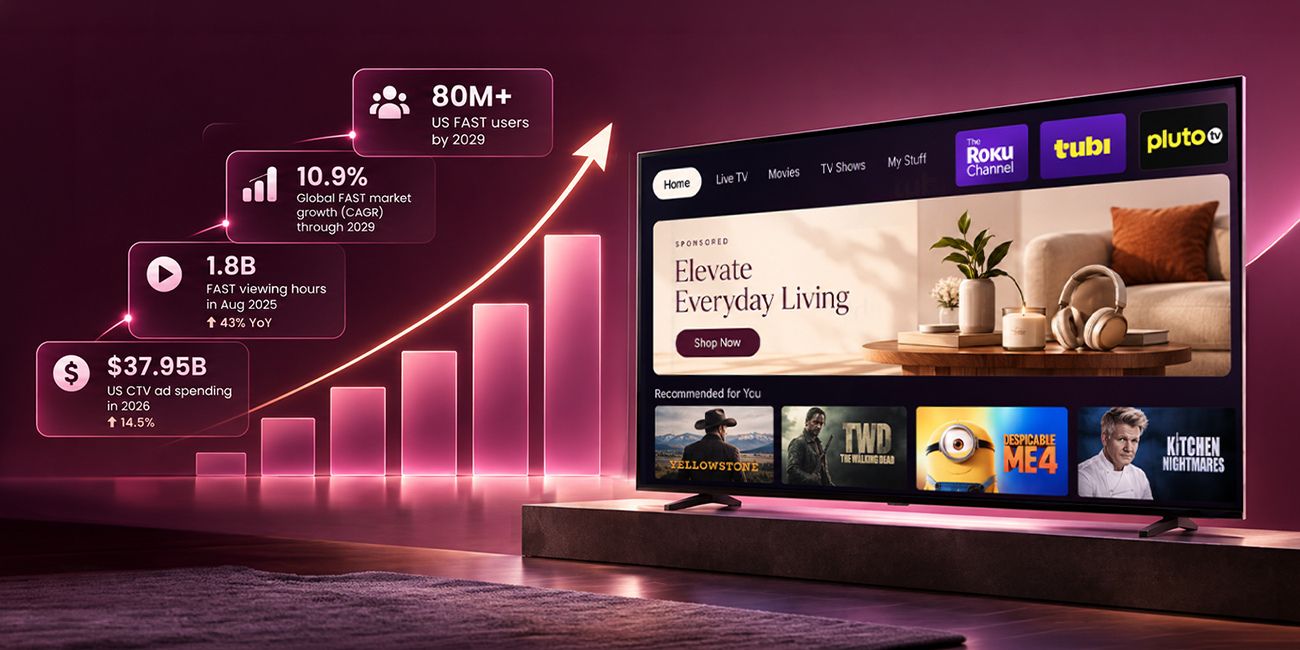
This shift is already visible in spending patterns. In 2025, PMP spending was projected to grow nearly 13 percent, while open exchange spending was projected to grow only about 3 percent. A separate market study found that private marketplace guaranteed transactions in North America are projected to grow at a 9.5 percent yearly rate through 2030. The overall pool of budget flowing through programmatic channels keeps expanding too, with US programmatic ad spending expected to top 200 billion dollars in 2026. Both trends point in the same direction: buying teams that understand how to set up and troubleshoot a Deal ID correctly will have an advantage over teams that treat it as a black box.
Teams that understand this workflow benefit in practical ways: a media planner who knows why a deal shows zero requests can fix it in minutes instead of filing a support ticket, and a publisher with consistent naming and clean ads.txt records onboards new buyers faster. The rest of this article covers the full workflow: how publishers generate and assign a Deal ID, how buyers activate it, the most common reasons a deal shows zero bid requests, and how long each stage typically takes.

What Is a Deal ID and Why Does It Matter in a PMP Setup?
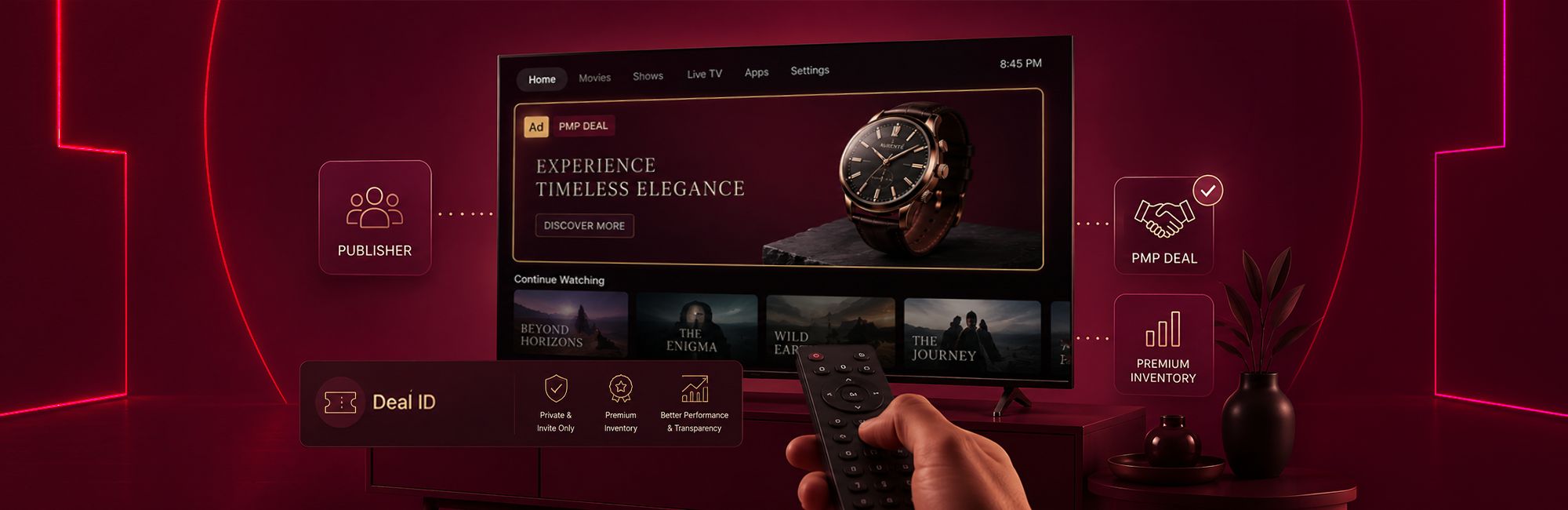
A Deal ID is a unique code created by a publisher’s supply side platform or ad server for a specific private deal. It usually takes the form of a long numeric or alphanumeric string. Once created, the ID is attached to a set of pre-agreed terms: which inventory is included, what the floor or fixed price is, and which buyers are allowed to bid on it.
When an impression that matches those terms becomes available, the SSP includes the Deal ID inside the bid request it sends out. The buyer’s DSP checks whether it has that same ID configured. If it does, the DSP treats the impression as part of the private deal and applies the agreed price and rules instead of the open market rate.
How a Deal ID Differs From an Open Auction Bid Request
In an open auction, eligible buyers connected to the exchange can compete for available impressions, and price is decided purely by competition. A bid request tied to a Deal ID is different because only buyers who were invited to that deal, and who have entered the matching ID into their DSP, are eligible to respond, though exact eligibility can also depend on seat-level configuration and platform-specific rules. This turns a public auction into a closed, invite only transaction while still using the same real time bidding infrastructure.
Who Generates the Deal ID: Publisher or SSP?
Deal ID creation depends on the platform and commercial workflow, so there is no single universal process. In many PMP setups, the publisher or its monetization partner configures the deal through an SSP or exchange, which then generates or assigns the Deal ID. Some publishers create the ID manually inside a platform dashboard, while others rely on the SSP to auto generate one once the deal settings are saved. Either way, the publisher is responsible for sharing the finished ID with the buyer once it exists.
What Are the Steps to Set Up a PMP Deal From the Publisher Side?
Publishers control the first half of the workflow. Getting this part right reduces the chances of delays or mismatched terms later.
Negotiating Terms, Floor Price, Inventory, and Buyer List
Before any ID is generated, the publisher and buyer agree on the specifics: which zones, sites, or apps are included, what floor or fixed CPM applies, what volume is expected, and which buyer accounts are allowed access. This step usually happens over email or a deal desk request and forms the basis for everything configured afterward.
Generating and Naming the Deal ID
Once terms are settled, the publisher creates the deal inside their SSP or ad server and generates the Deal ID. Using a clear, consistent naming convention at this stage, such as including the buyer name, region, and inventory type, makes it much easier to track performance and troubleshoot later, especially for publishers managing dozens of active deals at once.
Assigning Inventory or Zones to the Deal
The final publisher side step is linking the Deal ID to the actual ad zones, placements, or apps that were agreed on. If this step is skipped or done incorrectly, the deal may exist in the system but never actually receive any bid requests, since no inventory has been mapped to it.
How Does a Buyer Activate a PMP Deal ID on Their DSP?
Once the publisher shares the Deal ID, the buyer’s trading team needs to mirror those same terms on their own platform before any bids can be placed.
Entering the Deal ID and Matching Terms
The buyer enters the Deal ID into their DSP and sets the price, either a floor for auction style deals or a fixed rate for guaranteed deals, along with any additional targeting the campaign requires. The price and terms entered here should match what was negotiated with the publisher, since a mismatch is one of the most common reasons a deal fails to deliver.
Confirming Bid Response Matching
Once the deal is active, the buyer’s DSP will begin returning bid responses tagged with the same Deal ID whenever it receives a matching bid request. Trading teams should check early delivery reports to confirm requests are actually arriving and that responses are winning at the expected rate, rather than assuming the setup worked simply because no error appeared.
It also helps to run a small test budget before committing the full campaign spend to a new deal. A short test window, even a few hours, is usually enough to confirm that impressions are landing on the right pages or apps and that pricing is matching what was negotiated. Catching a mismatch during this window is far cheaper than discovering it after a week of spend has already gone out against the wrong terms.

What Causes a PMP Deal to Show Zero Bid Requests?
A deal that shows no bid requests after setup is one of the most common problems buying and publisher teams run into, and it almost always traces back to one of a few causes.
Deal ID or SSP Mismatch
The most frequent issue is a simple typo or a mismatch between the Deal ID entered on the buyer’s DSP and the one generated by the publisher’s SSP. Even a single character difference will stop the match from working. Confirming the exact ID and the correct SSP or exchange it was created on is the first troubleshooting step.
Ads.txt or App-ads.txt Authorization Gaps
Ads.txt or app-ads.txt issues can affect whether some buyers accept or bid on inventory, even when the Deal ID itself is configured correctly. Publishers should confirm that relevant supply partners are properly represented in their ads.txt or app-ads.txt records and that the seller relationship is consistent with the supply path presented to buyers. If authorization information is missing or inconsistent, a DSP may restrict bidding based on its own supply-quality policies, even though the technical Deal ID match still works.
Deal Not Yet Activated by the Publisher
In some platforms, creating a Deal ID does not automatically make it live. The publisher may still need to approve, publish, or activate the deal on their end, and inventory may need to be re-crawled or refreshed before requests start flowing. If a deal was created recently, checking its activation status before assuming a technical fault is a faster first step.
A useful habit for both sides is keeping a shared log of every active Deal ID, the date it was created, the buyer it belongs to, and its current status. When a deal stops delivering weeks after launch rather than at setup, this log makes it much faster to spot whether the cause is a recent change on the publisher’s inventory, an expired campaign flight on the buyer’s DSP, or a platform level issue affecting multiple deals at once.
How Long Does It Take to Go Live on a PMP Deal?
Turnaround time varies by platform and publisher, since it depends on how each side manages deal creation, approvals, and activation. Based on the current Xapads Deal Desk workflow, PMP brief feasibility checks are typically completed within a two hour window, and once setup instructions are confirmed, deals can go live within another two hour window. Deals that are pushed to a buyer but not accepted within two days are usually paused automatically until confirmed. Performance reporting is generally available within 48 hours of go-live, and optimization work begins once that first reporting window has passed. These figures reflect Xapads’ own operational benchmarks rather than an industry-wide standard, since turnaround varies by platform, publisher, and deal complexity elsewhere.
Coordinating a publisher’s SSP settings, a buyer’s DSP configuration, and the negotiated commercial terms involves several moving parts, and mismatches at any one step are what typically cause the delays or zero-bid-request issues covered earlier in this article. A managed deal desk workflow exists specifically to keep those steps aligned, tracking each deal from feasibility through go-live so that publisher and buyer configurations stay in sync.
Buying teams working across multiple SSPs and publishers should expect wider variation than the benchmarks above, since turnaround depends heavily on how quickly each side responds and how automated the publisher’s deal creation process is. Requesting a clear timeline upfront, rather than assuming a standard turnaround, avoids unnecessary delays.
PMP vs Programmatic Guaranteed vs Preferred Deal: What Is the Difference for Deal ID Setup?

All three deal types rely on a Deal ID, but what that ID controls changes depending on the deal type.
For teams deciding between these, the practical difference comes down to how much control is needed. A PMP setup is the right choice when flexible spending and competitive pricing matter more than guaranteed volume. Programmatic Guaranteed suits campaigns that need certainty on both price and delivery. A Preferred Deal works well for testing a new publisher relationship without committing to fixed volume.
FAQ
How long is a PMP Deal ID valid?
Most Deal IDs remain active for the duration set by the publisher when the deal was created, which can range from a single campaign flight to an open-ended, evergreen arrangement with no end date.
Can one Deal ID be used across multiple DSPs?
The same Deal ID can technically be entered into more than one DSP if the publisher has shared it with multiple buyer platforms, but each DSP still needs its own correct entry and matching terms for bidding to work.
What happens if the buyer’s bid does not meet the floor price?
If a bid comes in below the agreed floor for a PMP deal, the response will not be considered eligible for that deal and the impression will not be won under those terms.
Why would a publisher want a PMP deal instead of selling inventory in the open exchange?
A PMP setup lets publishers control which buyers access premium inventory and at what price, which usually results in steadier pricing and stronger brand alignment compared to open auction sales.
Does a PMP deal guarantee a minimum number of impressions?
No. Unlike a Programmatic Guaranteed deal, a standard PMP deal does not commit either side to a fixed volume, since it still operates as an auction among the invited buyers.
What should a buying team check first if a new Deal ID is not receiving traffic?
Confirm the Deal ID matches exactly what the publisher generated, check that the correct SSP is selected, and verify the deal has been activated on the publisher’s side before escalating further.
Related Post